
Keep watch over your trading bots

wickwatch is a self-hosted dashboard for trading bots, starting with cTrader cBots in Docker: see what runs where and with which parameters, start and stop instances, follow positions and deals live, and keep prop-firm challenge limits in view.

  • self-hosted
  • open source · AGPL-3.0
  • English · Deutsch
  • cTrader CLI · Docker
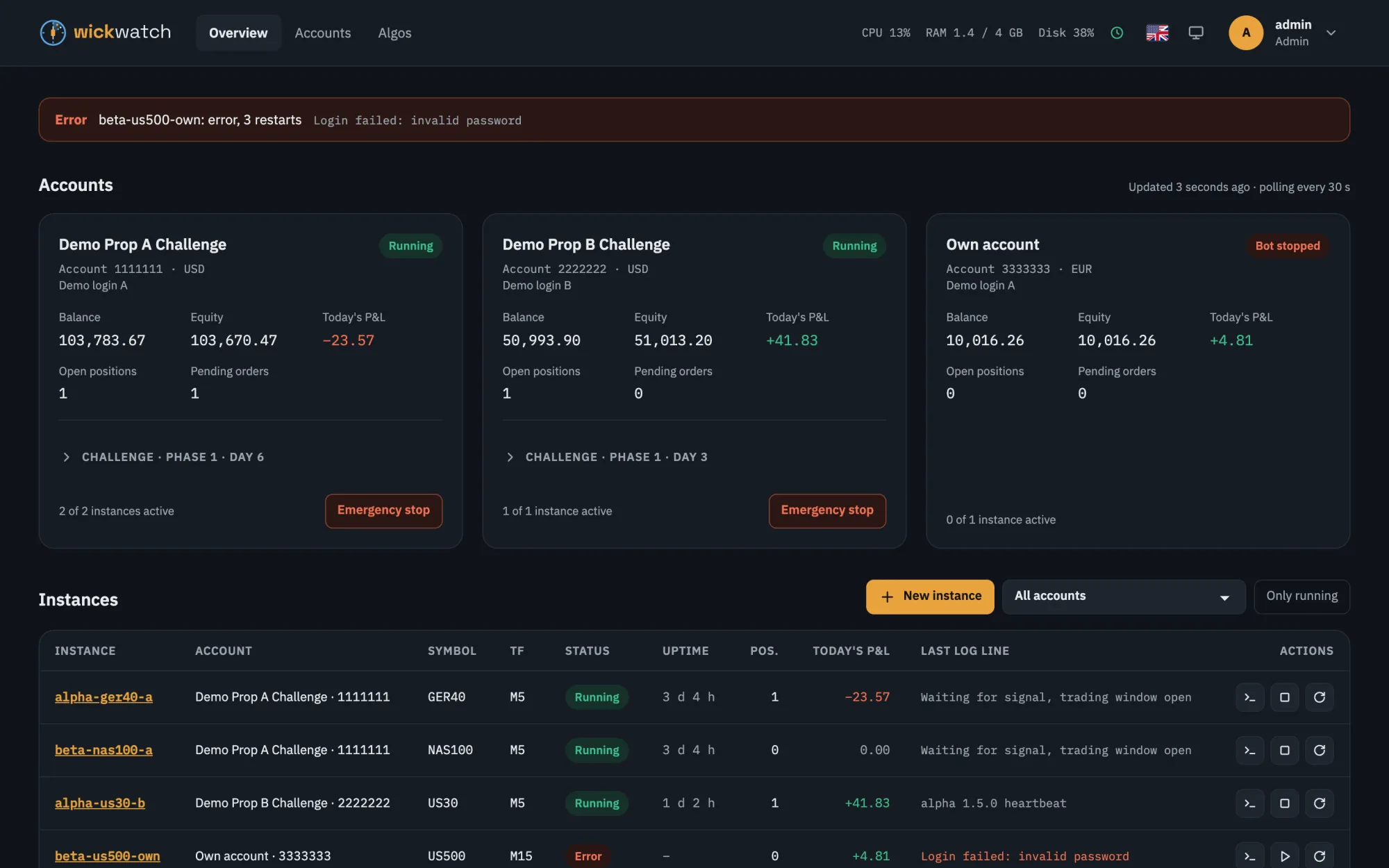
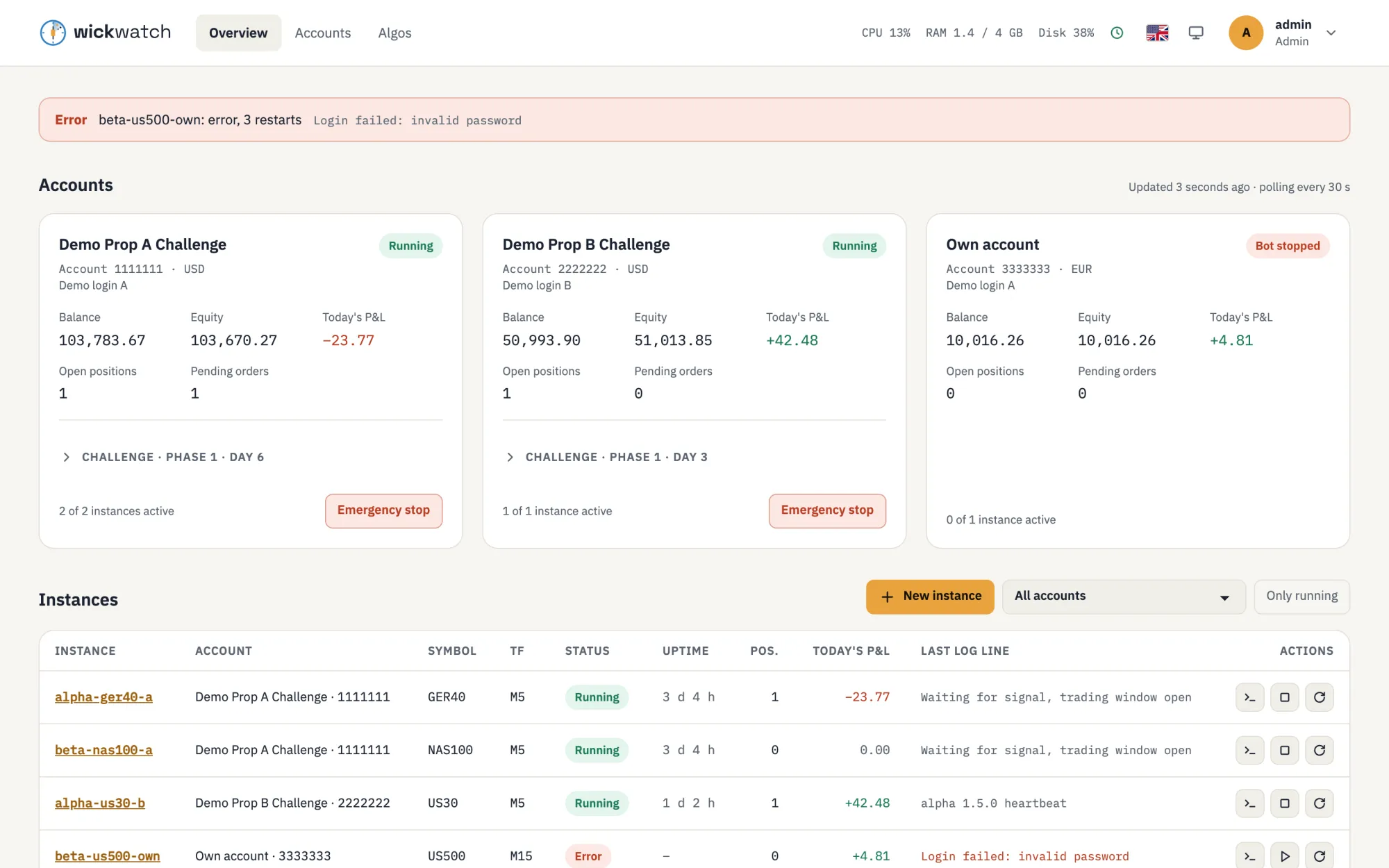
wickwatch overview: three accounts with balance, equity and today's P&L, an alert for a bot that failed to log in, and the table of bot instances with status, uptime and last log line.wickwatch overview: three accounts with balance, equity and today's P&L, an alert for a bot that failed to log in, and the table of bot instances with status, uptime and last log line.

Features

Your trading bots on one screen

wickwatch watches and controls; your strategies stay your own. It does not trade by itself, and it makes no promises about profits.

Overview

Accounts with balance, equity, today's P&L, open positions and pending orders. All instances with status, uptime and their last log line. Alerts for stopped, crashed or disconnected bots, broker errors and challenge limits.

Instances

Start, stop, restart. Create bots from an uploaded algo with a form built from its parameters; load or download parameter files. Every save is a version you can restore, and parameter templates switch any instance of the algo to a saved set.

Live log

Follow each bot's log live, search it in a larger view, and download the last 24 hours, 7 days or everything as a text file.

Emergency stop

One button per account stops its bots, cancels its orders and closes its positions. Always with confirmation, always in the audit log.

Prop challenges

Profit target, daily loss, drawdown, trading days and duration per account, with templates for FTMO and The Trading Pit. A warning before the firm closes an account that has not traded for too long. An optional loss guard runs the emergency stop before a limit is used up.

Secure by default

Built-in login with optional two-factor authentication and read-only users. Broker credentials encrypted at rest. Docker only through a socket proxy.

API and AI assistants

A REST API with OpenAPI docs and API tokens for your scripts. AI assistants that speak the Model Context Protocol (MCP) read accounts, challenge limits, instances, logs and alerts, so you can ask them whether your bots are running. Read-only: they never start, stop or trade.

Instances

Every instance in detail

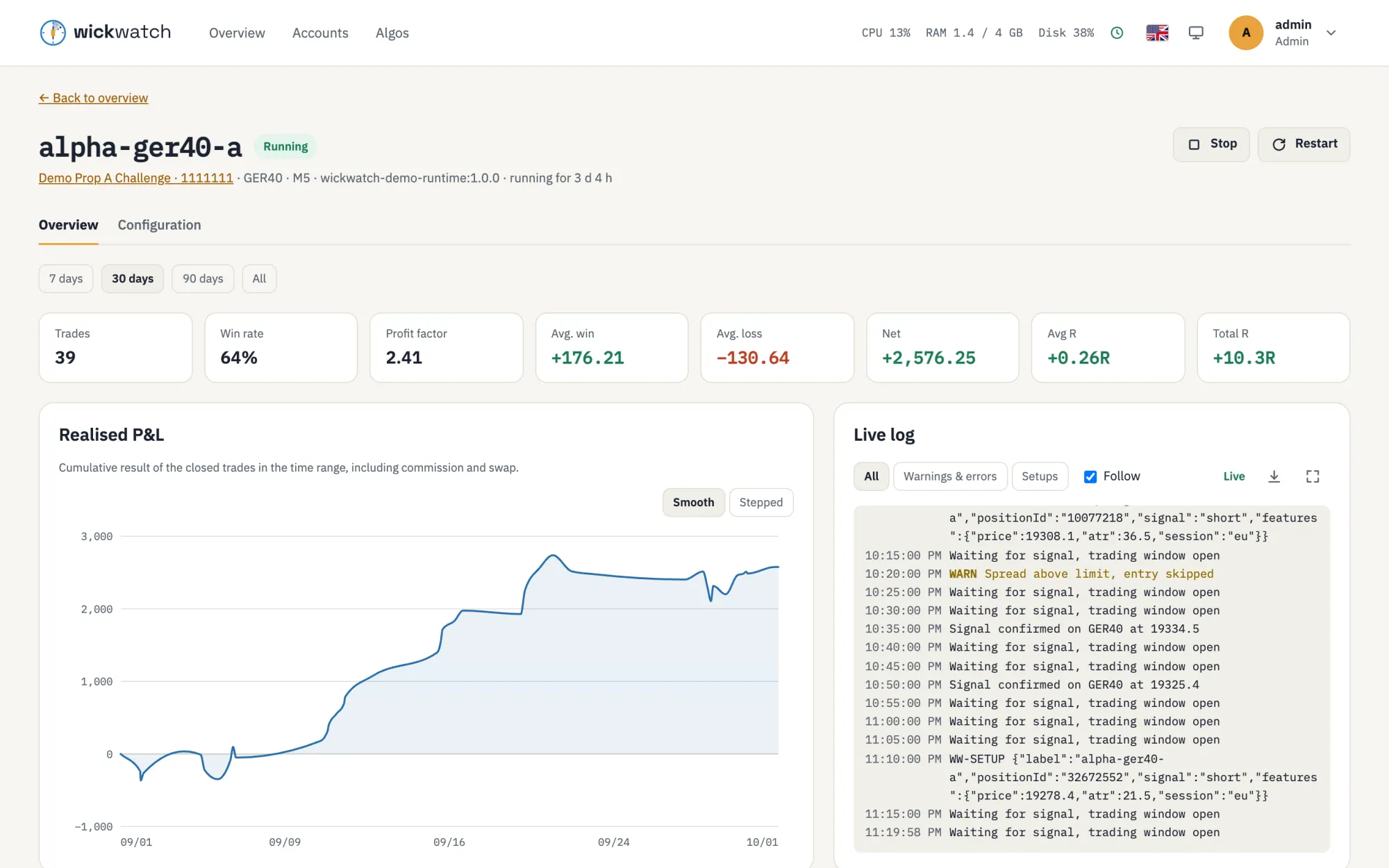
Key figures, the realised P&L curve and the live log side by side; below them open positions, pending orders and the trade history with risk in % and R per trade.

  • Key figures for 7, 30 or 90 days: trades, win rate, profit factor, average win and loss, net result and R
  • Log filters for warnings and errors, or for the setups your bot logs as WW-SETUP lines
  • A details panel for every position, order and trade; the arrow keys step to the next one
  • A configuration tab with the parameters and every saved version, ready to restore
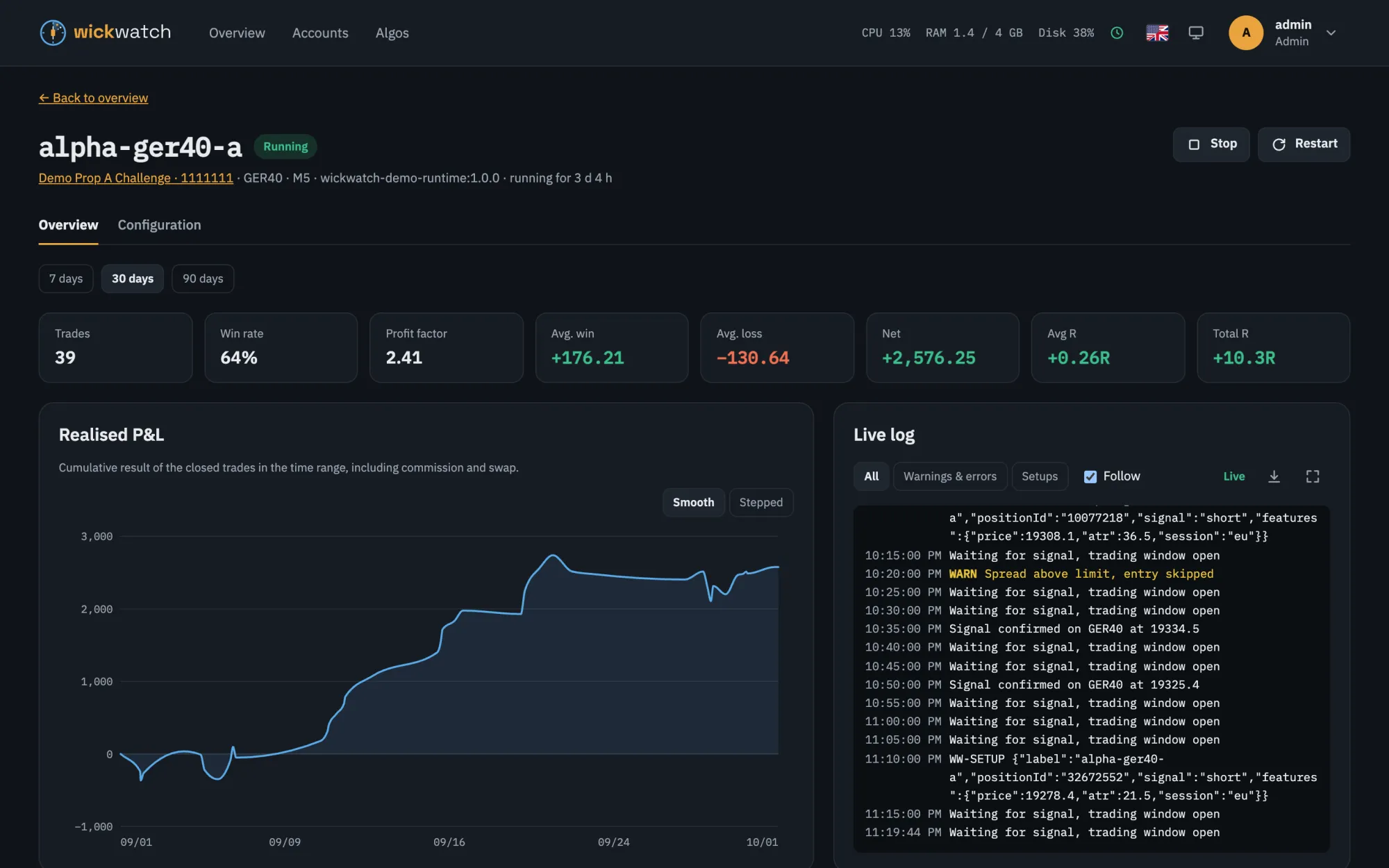
Instance page of the bot alpha-ger40-a: key figures for 30 days such as 39 trades, 64 % win rate and a net result of +2,576.25, the realised P&L curve and the live log.Instance page of the bot alpha-ger40-a: key figures for 30 days such as 39 trades, 64 % win rate and a net result of +2,576.25, the realised P&L curve and the live log.

Prop challenges

Prop-firm challenge limits in view

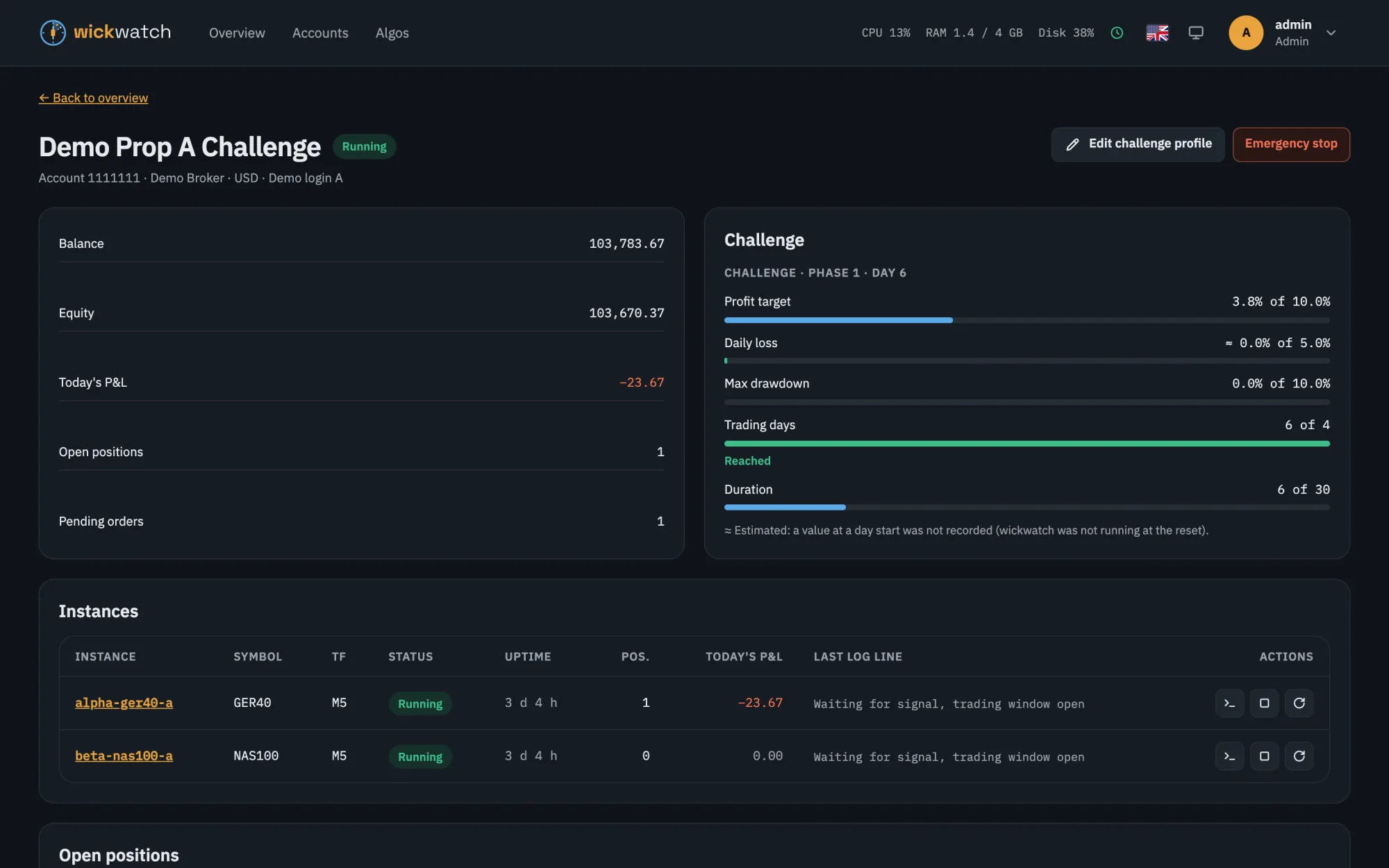
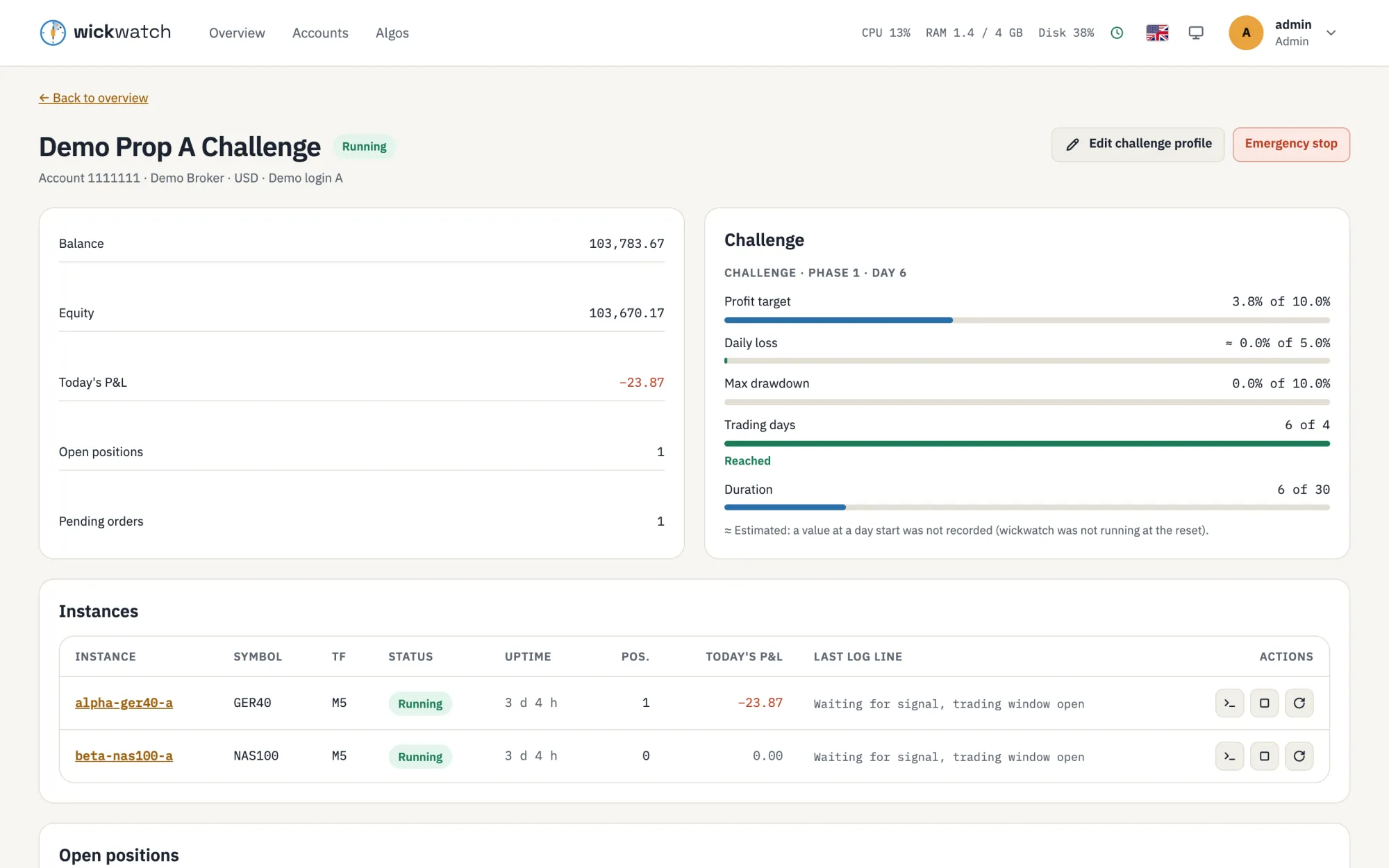
The account page shows how far the profit target is and how much of the daily and total loss is used. Values that could not be measured exactly are marked as estimates.

  • Daily loss with reset time and time zone, on balance or equity
  • Max drawdown: static, trailing, or trailing on the end-of-day balance
  • Minimum trading days and duration
Account page of a demo prop challenge: balance and equity, the challenge with progress bars for profit target, daily loss, max drawdown, trading days and duration, and the account's instances.Account page of a demo prop challenge: balance and equity, the challenge with progress bars for profit target, daily loss, max drawdown, trading days and duration, and the account's instances.

Phone and notifications

On your phone too

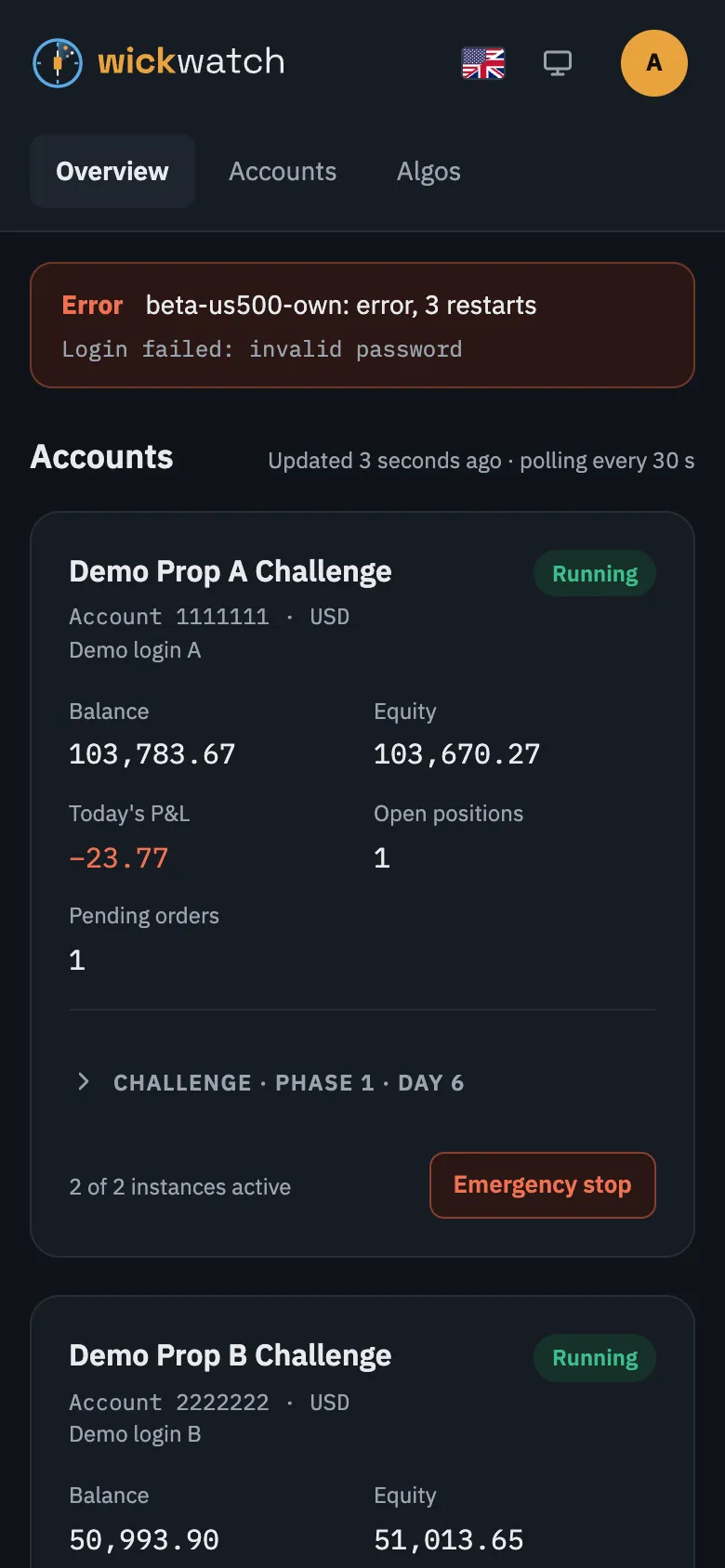
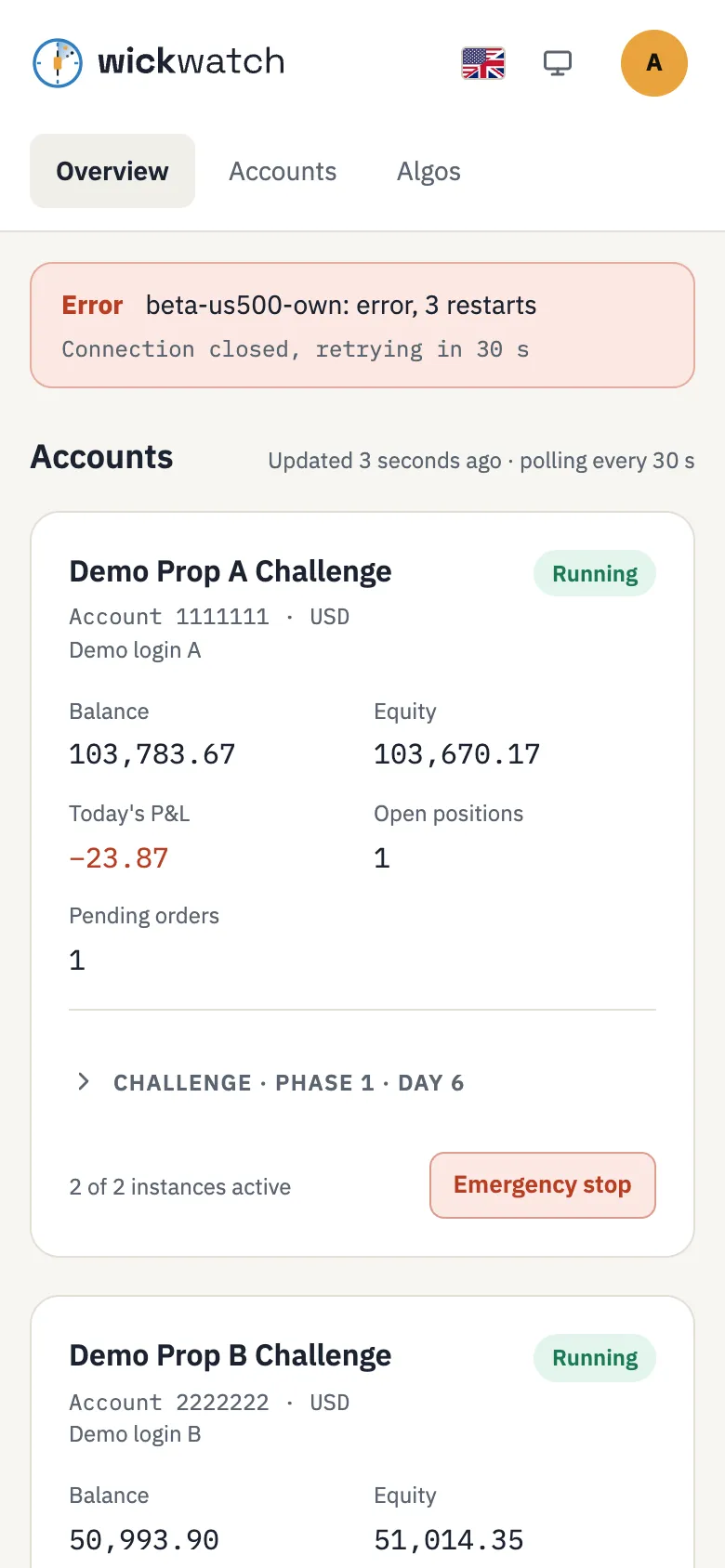
The same dashboard, laid out for a small screen: alerts first, accounts as cards, actions below the headings with their labels. Dark and light mode, English and German, and a large touch target for the emergency stop.

  • Alerts to Telegram, Slack, Discord or ntfy when a bot stops, crashes or loses its connection, or a challenge limit gets close, and again when it is fine
  • A daily summary of your accounts at a time you choose
  • A heartbeat to a service like Healthchecks.io, which tells you when wickwatch itself is gone
wickwatch on a phone: an alert and the first account card with balance, equity, today's P&L and the emergency stop button.wickwatch on a phone: an alert and the first account card with balance, equity, today's P&L and the emergency stop button.

How it works

Neutral core, pluggable adapters

wickwatch knows neither your strategy nor your broker. Adapters connect it to where the bots run, to the broker and to the parameter format. The first ones run cTrader bots in Docker containers through the cTrader CLI; a demo adapter with fake data is built in.

Runtime: Docker

Finds labelled containers, starts and stops them, streams their logs. Docker is reached only through a docker-socket-proxy.

Broker: cTrader CLI

Accounts, balances, positions, orders, deals and algo metadata, one session per account.

Parameters: .cbotset

Reads and writes cTrader parameter files, so existing parameter sets keep working.

Another broker or platform? The adapter contracts are described in docs/ADAPTERS.md.

Quick start

Try it with Docker in a minute

The image starts with the demo adapter: fake accounts, instances, positions and logs, so you can look around without a broker or bots.

docker run --rm -p 3000:3000 \
  -e MASTER_KEY="$(openssl rand -base64 32)" \
  -v wickwatch-data:/app/data \
  ghcr.io/wickwatch/wickwatch:0.7.1
  1. Copy the setup token from the log line No admin yet. Open /setup and enter the setup token: …
  2. Open http://localhost:3000, enter the token, a user name and a password.
  3. Set up two-factor authentication now or later under Profile. The overview with demo data opens.

Running real bots on a server: the step-by-step install guide; all settings in the configuration reference. Put wickwatch behind your reverse proxy with HTTPS (nginx-proxy, Traefik or any other) and keep it out of public reach, e.g. with a VPN or an IP allowlist. wickwatch 0.7.1 is in early development and used on demo and prop-challenge accounts; what comes next is in the roadmap.

Guides

A closer look

Three things wickwatch is used for, each on its own page.

Run cTrader cBots in Docker

Every bot in its own container on a Linux server, set up, started and stopped from the dashboard.

Prop-firm challenge limits

Daily loss, max drawdown and profit target of an FTMO or other challenge, with alerts and a loss guard.

AI assistants through MCP

A read-only MCP endpoint, so an assistant can tell you whether your bots are running.

Support

A hobby project, free and open

wickwatch is built in spare time and costs nothing. If it helps you, you can support it on Ko-fi or through GitHub Sponsors. Bug reports, ideas and pull requests help just as much.